Power
Ubo App
Home screen actions → Power
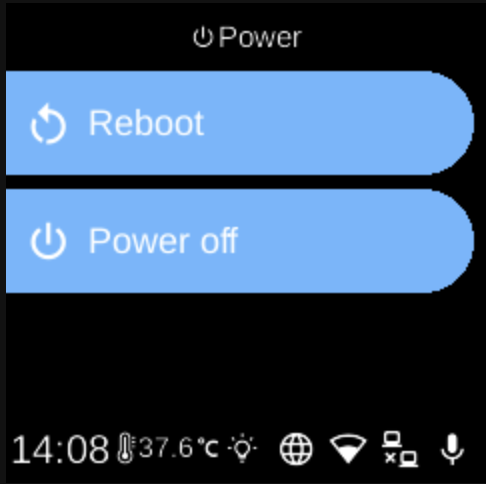
The Power (power icon ) on the home screen opens a short menu for shutting down or restarting the device.
Power options
After tapping the power icon, you see two options:
- Reboot — Restarts the device. The system plays a short sound and then reboots. All running apps and services stop and start again after the reboot.
- Power off — Shuts down the device. The system plays a short sound and then powers off. You need to power the device on again manually.
Usage
- Use UP and DOWN to move between Reboot and Power off.
- Use L1 or L2 to select the first or second option.
- Use BACK to close the power menu without doing anything.
After you choose Reboot or Power off, the action runs immediately; there is no extra confirmation step on this screen.