Ubo App
Ubo App
Home screen
Documentation for the Ubo device application.
Home screen
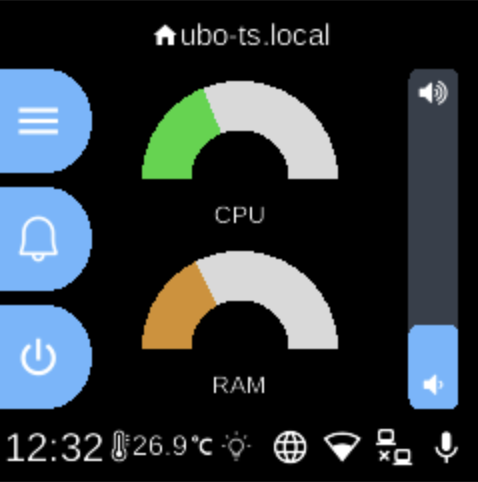
The home screen is the main dashboard for your Ubo device. At the top you see the device name (for example, ubo-ts.local) and a home icon.
Left side — Three main actions:
- Menu (hamburger icon) opens the main settings and options.
- Notifications (bell) shows alerts.
- Power lets you shut down or restart the device.
Center — Two gauges show live CPU and RAM usage so you can see how busy the device is at a glance.
Right side — A volume slider controls sound level, and the up and down buttons adjust values (for example, when scrolling or changing settings).
Bottom bar — The current time, temperature, and status icons for network, Wi‑Fi, display, and microphone. At the far bottom, back and home buttons let you move between screens and return here.