Settings
Ubo App
Home screen actions → Menu → Settings
Settings () opens the device configuration menu. Open it from the Menu on the home screen. Settings are grouped by category so you can find network, system, and other options quickly.
Settings categories
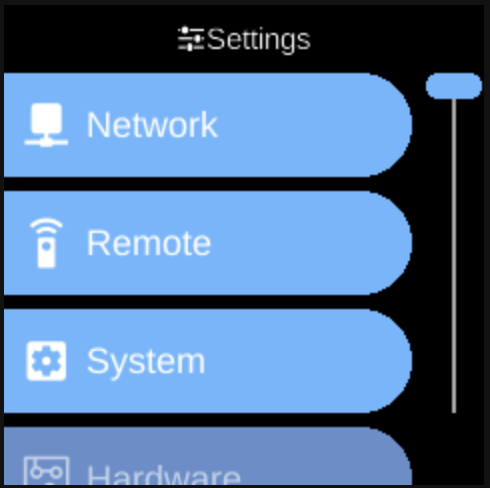
When you open Settings, you see categories such as:
- Network — Network-related options (Wi-Fi, Ethernet, IP).
- Remote — Remote access and connectivity (RPi Connect, SSH, VS Code).
- System — General system options: General, Services, Users, Desktop, Third Party. See Architecture → Services and System for overview.
- Hardware — Hardware-related settings: Display, Camera, Infrared.
- Assistant — Assistant and voice options.
- Docker — Docker and container options.
- Accessibility — Picovoice Settings, Speech Synthesis, Speech Recognition.
Each category opens a sub-menu with specific toggles and actions. The exact items depend on your device and installed services.
Navigation
- Use UP and DOWN to move between categories and between options inside a category.
- Use L1, L2, or L3 to select the first, second, or third item on the screen.
- Use BACK to go back one level or leave Settings.
- Use HOME to return to the home screen.
Toggle options (e.g. on/off) are changed by selecting them with the action buttons.