Language Model
Ubo App
Home screen actions → Menu → Settings → Assistant → Language Model
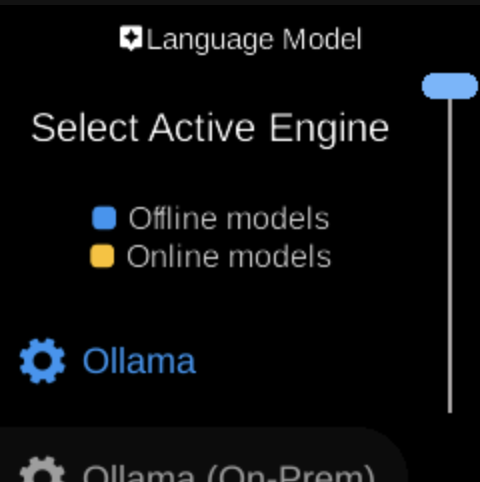
Language Model () lets you choose which engine the assistant uses for the main language model (LLM). Open it from Assistant in Settings.
What you see
When you open Language Model, the screen title is Language Model with heading Select Active Engine. The sub-heading indicates that some options are Offline models (run on the device) and others Online models (use a remote service). You see a list of available engines; the active one is highlighted (e.g. green).
Select an engine to set it as the active language model for the assistant.
Navigation
- Use UP and DOWN to move between engines.
- Use L1, L2, or L3 to select an engine.
- Use BACK to return to the Assistant menu.
- Use HOME to go to the home screen.