Desktop
Ubo App
Home screen actions → Menu → Settings → System → Desktop
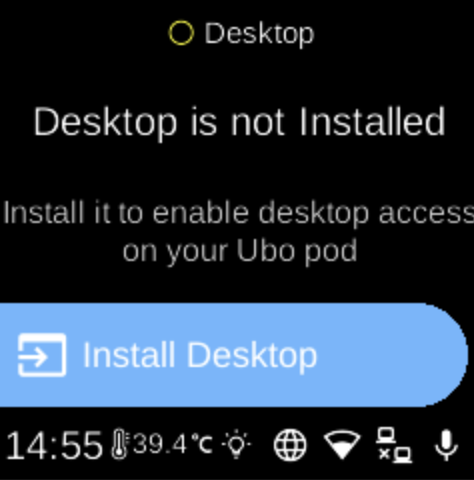
Desktop controls the LightDM display manager, which provides desktop (graphical) login and session access on the device. Open it from Settings → System. The icon shows whether the service is running (e.g. green) or stopped (e.g. grey).
What you see
When you open Desktop, the screen title reflects the current state. You may see:
- Not installed — Heading “Desktop is not Installed” and sub-heading about enabling desktop access. Install Desktop () installs the desktop package (e.g.
raspberrypi-ui-modsand LightDM). This may take a few minutes; while installing you see “Installing Desktop” and “This may take a few minutes”. - Installed — Start / Stop ( / ) to start or stop the LightDM service, and Enable / Disable to enable or disable it at boot. If the enabled state is still being checked, you may see “...” until it is known.
Navigation
- Use UP and DOWN to move between options.
- Use L1, L2, or L3 to select an option or run an action (Install, Start, Stop, Enable, Disable).
- Use BACK to return to the System settings list or the main menu.
- Use HOME to go to the home screen.