Display
Ubo App
Home screen actions → Menu → Settings → Hardware → Display
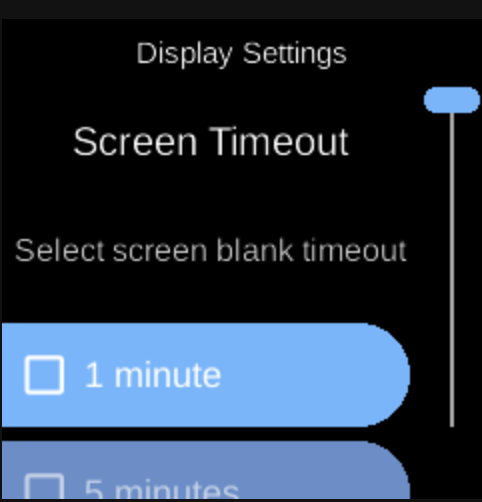
Display () controls when the screen blanks after inactivity. Open it from Settings → Hardware.
What you see
When you open Display, the screen title is Display Settings with heading Screen Timeout and sub-heading “Select screen blank timeout”. You see a list of timeout options; the currently selected one is highlighted (e.g. green).
Timeout options
Choose how long the device waits with no activity before blanking the screen (turning off the backlight). Options typically include:
- 1 minute
- 5 minutes
- 10 minutes
- 30 minutes
- 1 hour
- Off — Screen does not auto-blank from inactivity.
Select an option to set it. Activity (e.g. keypad input) resets the timer. When the timeout is reached, the screen blanks; any key or activity unblanks it again.
Navigation
- Use UP and DOWN to move between timeout options.
- Use L1, L2, or L3 to select an option and set it.
- Use BACK to return to the Hardware settings list or the main menu.
- Use HOME to go to the home screen.