Registries
Ubo App
Home screen actions → Menu → Settings → Docker → Registries
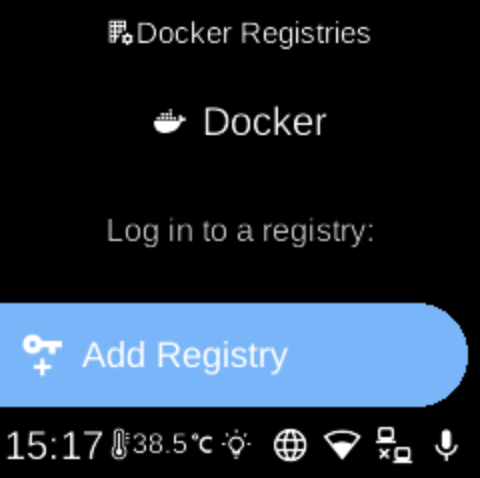
Registries () lets you log in to Docker registries (e.g. docker.io) so the device can pull private images. Open it from Docker in Settings.
What you see
When you open Registries, the screen title is Docker Registries with heading Docker and sub-heading Log in to a registry:. You see:
- Add Registry () — Add or update credentials for a registry. You may be prompted to enter credentials (e.g. service name, username, password) via QR code or Web UI. Format is often like
registry|username|password(e.g.docker.io|user|secret). If you omit the registry,docker.iois often used by default. - Registries () — Shown only when you have logged-in registries. Opens Logged in Registries with sub-heading “Log out of any registry by selecting it”. Each saved registry appears as a row; select one to log out (remove credentials) for that registry. Logging out uses a warning-style (e.g. red) action.
If you have not added any registry, only Add Registry is shown.
Navigation
- Use UP and DOWN to move between Add Registry and (if present) Registries, and inside Registries between registry names.
- Use L1, L2, or L3 to select an option, add credentials, or log out of a registry.
- Use BACK to return to the Docker settings list.
- Use HOME to go to the home screen.