Service
Ubo App
Home screen actions → Menu → Settings → Docker → Service
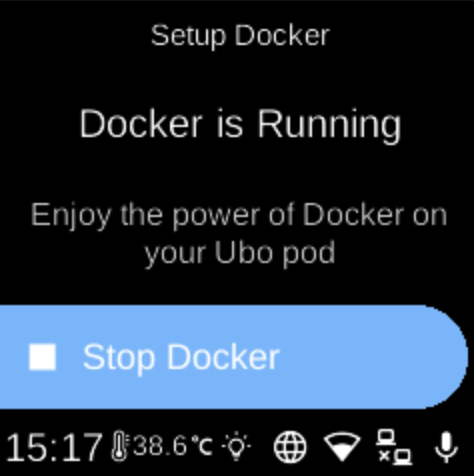
Service () lets you install, start, or stop the Docker service on the device. Open it from Docker in Settings. The screen you see depends on the current Docker status.
What you see
When you open Service, the title is Setup Docker. The heading and options change with status:
- Checking — “Checking Docker service status”. Shown briefly while the device checks if Docker is installed and running.
- Docker is not Installed — Sub-heading: “Install it to enjoy the power of Docker on your Ubo pod.” Install Docker () starts installation.
- Installing... — “Docker is being installed.” No actions; wait until installation finishes.
- Docker is not Running — “Run it to enjoy the power of Docker on your Ubo pod.” Start Docker () starts the Docker service.
- Docker is Running — “Enjoy the power of Docker on your Ubo pod.” Stop Docker () stops the service.
- Docker Error — “Please check the logs for more information.” No actions; use logs to troubleshoot.
After installing or starting Docker, Apps can list container and composition apps, and you can use Registries to log in to registries.
Navigation
- Use UP and DOWN to move between options (when any are shown).
- Use L1, L2, or L3 to select Install Docker, Start Docker, or Stop Docker.
- Use BACK to return to the Docker settings list.
- Use HOME to go to the home screen.