Infrared Settings
Ubo App
Home screen actions → Menu → Settings → Hardware → Infrared → Settings
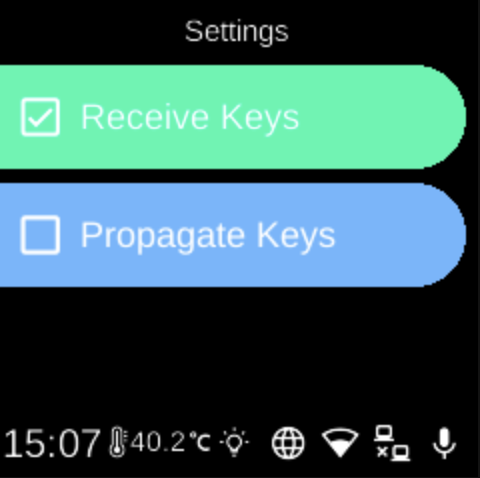
Infrared Settings () controls whether the device receives IR keypresses and whether keypad actions are propagated. Open it from Infrared in Hardware settings.
What you see
When you open Settings (under Infrared), the screen title is Settings and you see two toggles. The currently selected state for each is highlighted (e.g. green or distinct style).
- Receive Keys — When on, the device accepts IR keypresses from a remote (e.g. for Replay Devices or other IR features). When off, IR input is ignored.
- Propagate Keys — When on, keypad actions are propagated (e.g. sent to other systems or apps). When off, they are not propagated. Use this to control whether IR-originated or keypad-originated keys are forwarded.
Select an option to toggle it on or off.
Navigation
- Use UP and DOWN to move between Receive Keys and Propagate Keys.
- Use L1, L2, or L3 to select an option and toggle it.
- Use BACK to return to the Infrared menu.
- Use HOME to go to the home screen.