Network
Ubo App
Home screen actions → Menu → Settings → Network
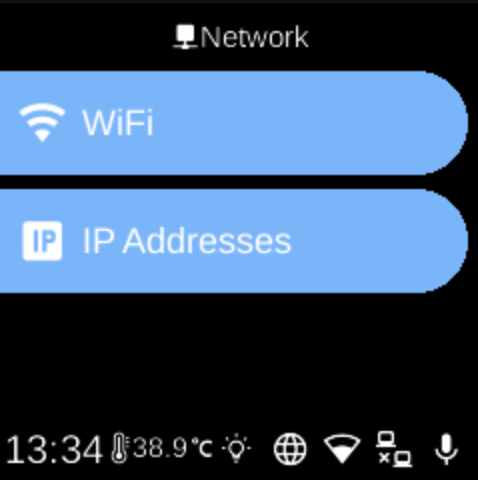
The Network () category in Settings groups options for connecting the device to networks and managing network interfaces.
What you see
- Wi-Fi — Connect to or configure Wi‑Fi networks, view status, and manage saved networks. Add networks, select from saved ones, and connect or disconnect.
- Ethernet — Wired network connection and configuration.
- IP — View or configure IP addresses and network interfaces.
The exact items depend on your device and which services are enabled.
Navigation
- Use UP and DOWN to move between options.
- Use L1, L2, or L3 to select an item and open its sub-menu or screen.
- Use BACK to return to the Settings category list or the main menu.
- Use HOME to go to the home screen.