Remote
Ubo App
Home screen actions → Menu → Settings → Remote
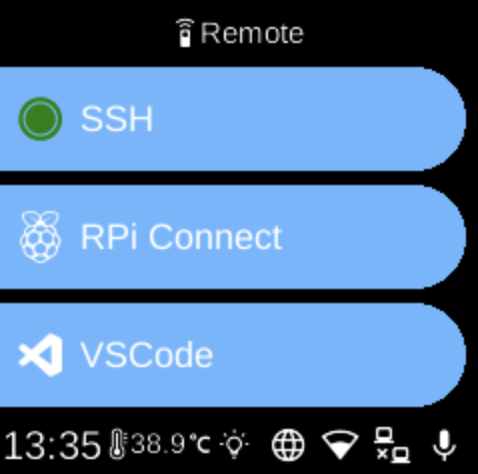
The Remote () category in Settings groups options for remote access and development connectivity.
What you see
- RPi Connect — Remote access: screen sharing and remote shell. Install, start/stop, sign in, and show connection URL.
- SSH — Enable or disable SSH and start or stop the SSH service for secure shell access.
- VS Code — VS Code Remote Tunnel: download Code CLI, log in, and show URL/QR code to connect from VS Code.
The exact items depend on your device and which services are installed.
Navigation
- Use UP and DOWN to move between options.
- Use L1, L2, or L3 to select an item and open its sub-menu or screen.
- Use BACK to return to the Settings category list or the main menu.
- Use HOME to go to the home screen.